

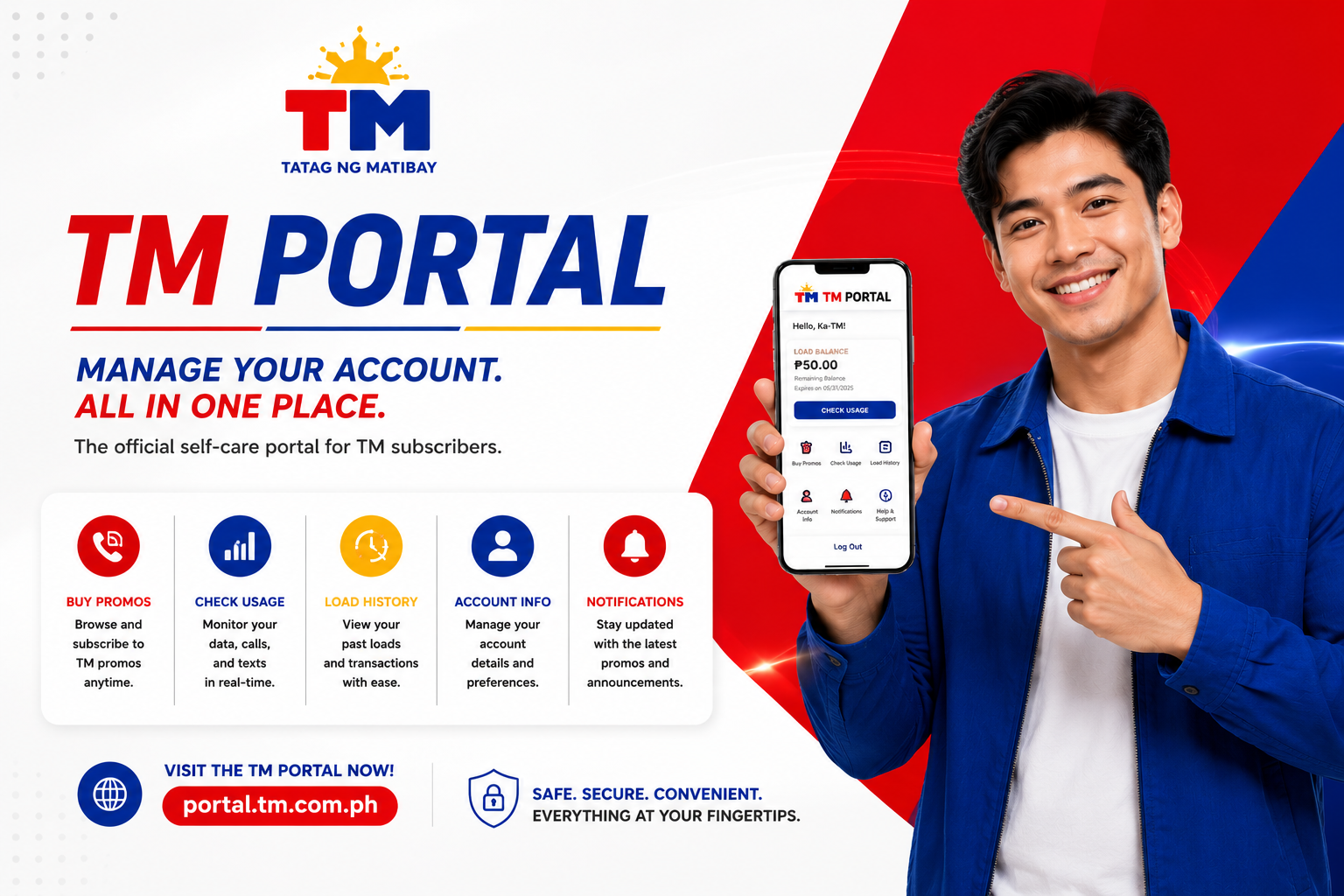
The TM Portal is an online platform that allows TM (Touch Mobile) subscribers to manage their accounts, register SIM cards, subscribe to promos, check balances, and access various mobile services. Most TM online services are now integrated through Globe’s digital platforms, including the SIM registration portal and the GlobeOne app.
This guide explains what the TM Portal is, how to access it, and how to use its features to manage your TM account efficiently.
Quick Answer: What Is the TM Portal?
The TM Portal is an online self-service platform that helps TM users:
- Register their SIM cards
- Manage TM accounts
- Check balances and usage
- Subscribe to promos
- Buy load
- Access customer support
Many TM services are now available through the GlobeOne app and official Globe online portals.
TM Portal Features
The TM Portal provides several useful services for subscribers.
TM SIM Registration
Users can register new and existing TM SIM cards online by providing:
- Mobile number
- Personal information
- Valid ID
- Selfie verification
SIM registration is required under the SIM Registration Act (RA 11934).
Promo Registration
TM subscribers can:
- Browse available promos
- Subscribe to data packages
- Register call and text bundles
- Purchase combo offers
Many exclusive offers are also available through the GlobeOne platform.
Load Management
The portal allows users to:
- Buy load online
- Monitor load balance
- Review transaction history
Account Monitoring
Subscribers can check:
- Remaining data balance
- Active promos
- Promo expiration dates
- Usage history
The GlobeOne dashboard provides real-time account monitoring.
Rewards and Offers
Users can access:
- TM rewards
- Exclusive discounts
- Promotional offers
- Bonus data packages
How to Access the TM Portal
There are multiple ways to access TM online services.
Through the SIM Registration Portal
Users can access the official registration portal and complete SIM registration online. The portal allows verification through OTP and document submission.
Through the GlobeOne App
The GlobeOne app serves as the primary self-service platform for TM subscribers.
Features include:
- Promo registration
- Load purchase
- Account management
- Rewards redemption
- SIM registration
- Customer support
The app supports both Android and iPhone devices.
How to Login to the TM Portal
Step 1
Open the GlobeOne app or official TM service portal.
Step 2
Enter your TM mobile number.
Step 3
Request a One-Time Password (OTP).
Step 4
Enter the OTP sent via SMS.
Step 5
Access your account dashboard.
Once logged in, you can manage promos, load, rewards, and account settings.
How to Register a TM SIM Through the Portal
Step 1
Visit the official registration portal.
Step 2
Enter your TM mobile number.
Step 3
Verify your number using OTP.
Step 4
Provide your personal information.
Step 5
Upload a valid government-issued ID.
Step 6
Upload a selfie for verification.
Step 7
Submit the registration form.
You will receive a confirmation message after successful registration.
Benefits of Using the TM Portal
Using the TM Portal provides several advantages.
Convenience
Manage your account anytime without visiting a store.
Faster Transactions
Register promos and purchase load instantly.
Real-Time Monitoring
Track data usage and promo validity.
Better Account Security
OTP verification helps protect your account.
Access to Exclusive Offers
Some promos and rewards are available only through digital platforms.
Common TM Portal Problems and Solutions
OTP Not Received
- Check your signal strength.
- Wait a few minutes.
- Request a new OTP.
Unable to Login
- Verify your mobile number.
- Update the GlobeOne app.
- Clear app cache and try again.
Promo Registration Failed
- Ensure sufficient load balance.
- Confirm promo availability.
- Retry after a few minutes.
App Errors
Some users have reported occasional login and account-adding issues in community discussions. Updating the app, clearing app data, and retrying the login process have helped some users resolve these problems.
TM Portal vs GlobeOne App
| Feature | TM Portal | GlobeOne App |
| SIM Registration | Yes | Yes |
| Promo Registration | Yes | Yes |
| Load Purchase | Limited | Yes |
| Account Monitoring | Yes | Yes |
| Rewards | Limited | Yes |
| Customer Support | Yes | Yes |
| Mobile Access | Browser | Mobile App |
For most users, GlobeOne is currently the preferred way to manage TM services.
Frequently Asked Questions
What is the TM Portal?
The TM Portal is an online platform that allows subscribers to register SIM cards, manage accounts, buy load, and subscribe to promos.
How do I access the TM Portal?
You can access TM services through the official registration portal and the GlobeOne app.
Can I register my TM SIM online?
Yes. TM SIM registration can be completed through the official online portal or the GlobeOne app.
Is the GlobeOne app required?
No, but it provides the easiest way to manage TM services, monitor usage, and subscribe to promos.
Can I buy load through the TM Portal?
Yes. Load purchases and promo subscriptions are available through GlobeOne and supported TM digital channels.
Conclusion
The TM Portal makes it easier for subscribers to manage their mobile services online. Whether you need to register your SIM, buy load, monitor data usage, or subscribe to promos, TM’s digital platforms provide convenient self-service tools. For the best experience, most users prefer using the GlobeOne app, which combines account management, rewards, promos, and support in a single platform.
